
IT support for Omaha nonprofits
Nonprofits often have to make technology serve a lot of people with limited staff and a limited budget. Volunteers, shared computers, donated equipment and staff working across different locations can make that harder. Technology has to earn its place in a nonprofit budget, and the plan needs to make sense to the people approving it. Cambium Data is a local Omaha IT company that helps nonprofits get there.

Get the right Microsoft 365 nonprofit licenses
Microsoft offers eligible nonprofits up to 300 granted (donated) Microsoft 365 Business Basic licenses, plus discounts of up to 75 percent on paid plans such as Microsoft 365 Business Standard and Business Premium. Microsoft decides who’s eligible and changes these offers from time to time, so we check the current terms on Microsoft’s nonprofit site before we recommend anything.
The old free Business Premium grant is gone. Microsoft discontinued it in 2025, and those licenses stopped at each organization’s next renewal. If nobody has looked at your licensing since then, check what you’re on now and what it costs.
The right mix matters. Staff who only need email, Teams and the web apps may be fine on the granted Business Basic licenses. People who handle donor data or need the desktop apps and stronger security tools may be better on discounted Business Premium.
We help you register with Microsoft’s nonprofit program, pick the right mix of licenses, move users between plans without losing mail or files, and clean up accounts when people leave.
Manage access when staff and volunteers change
Volunteer access planned on purpose: individual accounts where it matters, access limited to what each role needs, and a clear rule for when accounts get turned off. Microsoft has its own rules about who can use granted versus discounted licenses, so volunteer accounts belong in the licensing plan.
Shared front desk, kiosk and classroom computers locked down so one person’s session can’t expose the next person’s files.
A short onboarding and offboarding checklist, so access is added and removed the same way every time.
An honest look at donated computers. Microsoft ended regular Windows 10 support in October 2025, and many older donated PCs can’t run Windows 11. We’ll tell you which donations are worth setting up and which will cost more in staff time than they save.
Protecting donor and client data
Donor records, payment details and, for many service organizations, information about the people you serve are exactly what attackers go after. Having a small staff does not eliminate the risk.
- Multi-factor authentication on email, remote access, and your donor database where it’s supported.
- Email filtering, plus a simple rule for anyone who handles money: any change to payment or bank details gets confirmed by phone before anyone acts on it.
- Endpoint protection on every computer, and encrypted laptops for staff who work from home or in the field.
- Backups of Microsoft 365 and shared files, with test restores.
- Removing access promptly when staff and volunteers leave.
If you want to know what an attacker could reach, we offer automated penetration testing, quoted separately. If your cyber insurance renewal is coming up, Cyber Insurance Readiness helps you answer the technical questions on the application and put missing controls in place.
Build a technology plan you can defend
Technology can accumulate over time: licenses for people who left, equipment that should have been replaced, and systems nobody wants to change because they are afraid of breaking something.
- A hardware lifecycle report and replacement plan your board can budget for, instead of emergency purchases.
- Written quotes and equipment plans you can use in grant requests and budget meetings.
Networks, phones and internet across your sites
Many nonprofits work out of more than one building: an office, a program site, a shelter, a church building or an event space.
Meraki networking is managed from the cloud, which makes it practical to run several small sites from one dashboard. We sell and support Cisco and Meraki equipment.
Separate guest Wi-Fi for visitors, clients and events.
Cloud-based phone systems with apps, so staff in the field can answer the main line from a cell phone. You keep your numbers (we handle the number porting).
Business internet and backup lines through carrier partners like Great Plains Communications.
Security cameras for buildings and parking areas. For moves and renovations, we plan and deliver cabling projects.
AI employees that give your staff time back for the mission
AI employees take repetitive office work off your staff: donor thank-you drafts, volunteer reminders and follow-ups, gathering documents for grant deadlines, and sorting the shared inbox. Your team gets more done without adding headcount, and more of the day goes to your programs. Your people approve anything that goes out.
We also write a plain-language AI use policy so staff know which AI tools are approved and that donor, client and payment information never goes into them, and we check your Microsoft 365 permissions before Microsoft Copilot goes in.
Full managed, co-managed, or help when you need it
Some nonprofits want fully managed IT. Others already have someone handling part of the technology and need help with the rest. Our co-managed plan includes 0.25 support hours per user per month, with additional time billed in 15-minute increments. There is a minimum billing of 10 users. If you only need occasional help, we also offer hourly support. See our managed IT pricing.
We aim to respond to critical issues within 1 hour, high priority issues within 4 business hours, normal requests within 1 business day and low priority requests within 3 business days.
Downloads
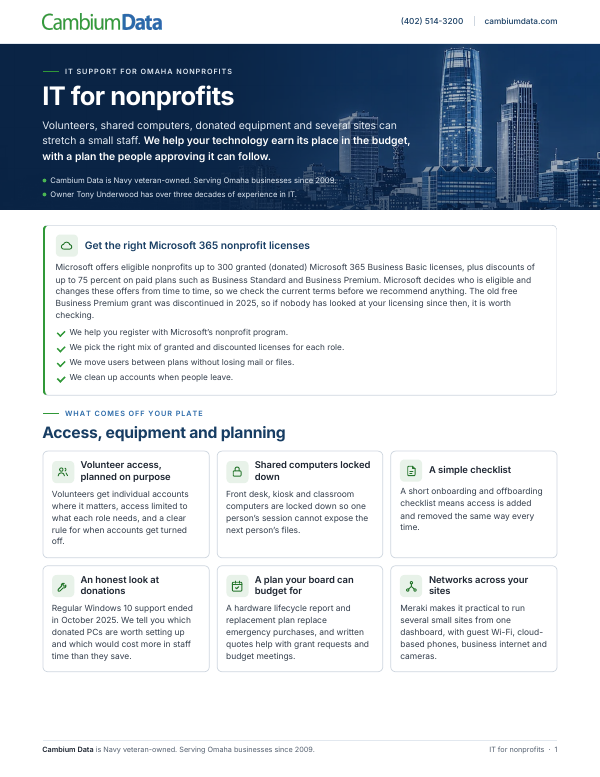
IT for Nonprofits
This guide explains how Cambium helps nonprofits manage Microsoft 365 nonprofit licensing, volunteer access, shared computers, hardware planning, data protection and multi-site networks.
Download the PDFStart with a free technology and AI review
We look at your setup and what you pay today, and show you what isn’t protected and what we’d fix first, in plain English. It’s free, there’s no obligation, and you keep the written summary. For nonprofits, we also look at your Microsoft 365 licensing against Microsoft’s current nonprofit offers.
If your cyber insurance renewal is coming up, see Cyber Insurance Readiness.
You can also call Cambium Data at (402) 514-3200 or visit us at 6542 S 118th St, Omaha, NE 68137.
FAQs
What does IT support cost for a nonprofit?
It depends on how many staff and sites you have and what’s already in place, so we quote after the free technology and AI review. If you have your own IT person, our co-managed plan includes 0.25 support hours per user per month, with additional time billed in 15-minute increments, with a minimum billing of 10 users. See our managed IT pricing.
Can you help us get Microsoft’s nonprofit licensing?
Yes. We help you register with Microsoft’s nonprofit program and choose the right licenses once you’re approved. Microsoft decides eligibility, and the offers change from time to time, so we check the current terms before recommending a plan.
We used to have free Microsoft 365 Business Premium. What happened?
Microsoft discontinued the free Business Premium grant in 2025, and those licenses expired at each organization’s next renewal. Eligible nonprofits can still get up to 300 granted Business Basic licenses and discounted pricing on Business Premium. We can look at what you have now and move users to the right plan without losing email or files.
How should we handle volunteer accounts?
Give each volunteer only the access their role needs, use individual accounts where people handle sensitive information, and turn accounts off as soon as someone stops volunteering. Microsoft has separate rules for granted and discounted licenses, so we plan volunteer accounts as part of your licensing.
Can you support donated computers?
Often, yes. Many older PCs can’t run Windows 11, so we check each donation first and tell you which machines are worth setting up.
Do you work with our donor database?
We don’t replace your donor database vendor’s support. We secure the accounts that log into it, set up multi-factor authentication where it’s supported, make sure exports and reports aren’t sitting unprotected on laptops, and work with the vendor when a problem crosses into your computers or network.
Related services
Managed IT
Help desk, monitoring, patching, Microsoft 365 licensing and account cleanup, backups, donated hardware checks and lifecycle planning.
Networking
Multi-site networks with Cisco and Meraki, guest Wi-Fi, cloud-based phones with apps, business internet and backup lines, and cameras. We plan and deliver cabling projects.
Cybersecurity
Multi-factor authentication, email security, endpoint protection, automated penetration testing and Cyber Insurance Readiness.
AI employees that take the busywork off your staff
They draft donor and volunteer follow-ups, gather grant documents and sort the inbox, so a small team gets more done. Your people approve anything that goes out.