
Cloud and Microsoft 365 services in Omaha
New hires, departures and licensing handled so nothing slips. We run the Microsoft 365 your office works in every day, and when a server is due for replacement, we can move it to Microsoft Azure, host your applications there, or give your staff a virtual desktop they can reach from anywhere.
One local team for Microsoft 365, Azure and the IT underneath them.

Microsoft 365, kept tidy
The day-to-day admin that keeps Microsoft 365 working for everyone, and safe when people come and go.
New hires and departures
Accounts, mailboxes and licenses set up before a new person starts, and shut off the day someone leaves.
Licensing
The licenses you pay for matched to the people who use them, added and removed as your team changes.
Teams and SharePoint
Teams and SharePoint sites set up so files live in one place, with the right people able to open them.
Email security
Email filtering, multi-factor sign-in and admin accounts configured with security in mind. See cybersecurity.
Messy tenant cleanup
If your Microsoft 365 has grown messy over the years, we clean up old accounts, sharing links and permissions.
Google Workspace, too
Microsoft 365 and Google Workspace migrations involve more than moving email. Calendars, shared addresses, files and access all need consideration. Considering a move between Google Workspace and Microsoft 365? Tell us about your current setup so we can determine the scope and support required.
Copilot readiness
Before Microsoft Copilot goes in, we check who can see what in your files. See AI integration.
Moving business email to Microsoft 365
A successful migration starts with understanding what your business relies on. Email, shared addresses, calendars, files and applications can each need different handling. A migration plan should identify what needs to move, what may need separate handling and what must be checked before the old service is retired.
Start with the full picture
List the people, shared addresses, calendars, files and applications involved. Confirm who controls the domain and administrative accounts, what records must be retained, and which Microsoft 365 licenses fit the work.
Test the important workflows
Ask your migration provider how representative users and business-critical workflows will be tested before mail delivery changes. Include shared addresses, calendar access, mobile devices and applications that send email. Files need their own migration plan, including destination permissions, version history and content the selected tool cannot transfer.
Validate before retiring the old service
Review the migration evidence available from the selected tools. Have mailbox and file owners check the information they need. Identify outstanding exceptions, confirm continued access to the source and agree how temporary migration permissions will be removed before the old service is retired.
Planning a move from Gmail? Read our business migration checklist before choosing a cutover date.
Moving files to SharePoint and Teams
Still running a file server, or a shared drive everyone maps a letter to? We move those files into SharePoint and Teams, so staff can find them from the office, from home or on a phone.
- We map out the folders and who needs access before anything moves.
- Permissions set by team, so the right people see the right files.
- Version history, so an overwritten file can be rolled back.
- We move the files after hours and check them with your staff afterward.
Microsoft Azure: move your servers, or run hybrid
When an on-site server is due for replacement, buying a new one is not the only option. We can move the server to Microsoft Azure, or set up a hybrid where some servers move to Azure and others stay in the office.
- We look at what each server does, then compare a new host, Azure, or a hybrid, with the monthly cost in writing.
- Servers running on VMware or Hyper-V can move to Azure. See virtualization projects.
- We plan the move around your business hours and test with your staff before the old server is retired.
- After the move, we manage the servers in Azure along with the rest of your IT.
Hosting and virtual desktops on Azure
We host on Azure, and staff sign in with Entra ID, the same sign-in they use for Microsoft 365.
Server and application hosting
We host your servers and line-of-business applications on Azure, so there is less hardware in the office to maintain. Entra ID controls sign-in and who can reach each server and application, with multi-factor authentication turned on.
Azure Virtual Desktop
A Windows desktop that runs on Azure, reachable from the office, from home or from a laptop on the road. Staff sign in with Entra ID, and the files and applications stay in Azure instead of on the device, which helps when a laptop is lost.
Cloud sync is not a backup
OneDrive, SharePoint and Teams copy every change to every device, including a deleted folder or files encrypted by ransomware. Microsoft keeps deleted items for a limited time, which isn’t the same as a backup you control.
We back up Microsoft 365 email and files separately and test the backups by restoring. See backup and disaster recovery.
How getting started works
No long sales process.
- 1
We learn your setup
We look at your Microsoft 365, servers and files, and write down what we find. You keep it either way.
- 2
A written plan
What we would clean up or move, in what order, and what it costs.
- 3
We do the work
We make the changes or the move, test with your staff, and document the setup.
Downloads
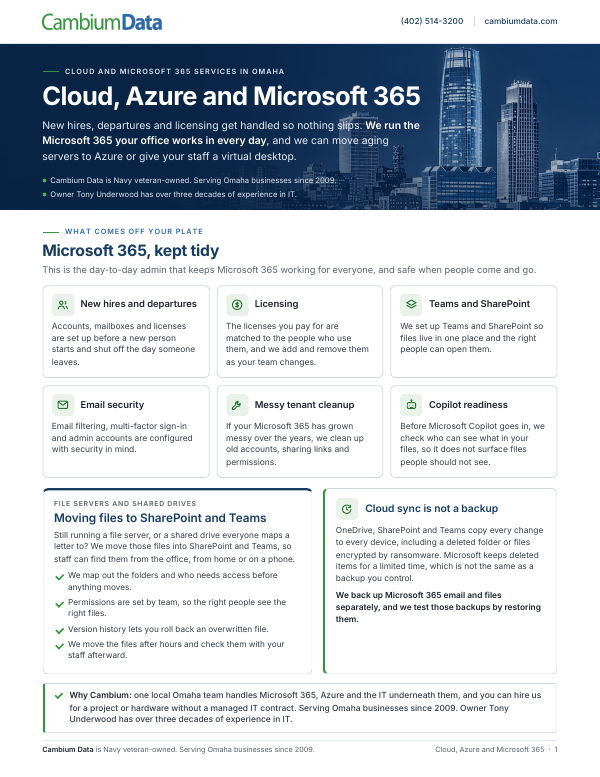
Cloud, Azure and Microsoft 365
This guide explains Microsoft 365 administration, moving file servers to SharePoint and Teams, and options for Azure, virtualization and Azure Virtual Desktop.
Download the PDFTalk through your Microsoft 365 plans
Tell us what you use today and what needs to change. We can discuss your Microsoft 365 setup, a planned email migration or servers due for replacement, then identify what needs a closer look before work is scoped.
If your cyber insurance renewal is coming up, see Cyber Insurance Readiness.
You can also call Cambium Data at (402) 514-3200 or visit us at 6542 S 118th St, Omaha, NE 68137.
Cloud and Microsoft 365 questions
Can you sort out our Microsoft 365 licenses?
Yes. We match the licenses you pay for to the people who actually use them, and we add and remove licenses as people join and leave, so nobody is left with access they should not have.
Do you support Google Workspace?
Considering a move between Google Workspace and Microsoft 365? Tell us about your current setup so we can determine the scope and support required. Mailboxes, calendars, shared addresses and files need an engagement-specific assessment.
What needs checking before we move Gmail to Microsoft 365?
Start with mailboxes, shared addresses, calendars, files, applications and retention needs. The selected migration tool determines what can transfer and what needs separate handling. Ask your provider how representative users and important workflows will be tested, review available migration evidence and validate the results before retiring Google Workspace.
Isn’t Microsoft 365 already a backup?
No. OneDrive and SharePoint sync changes across devices, including deletions and files encrypted by ransomware. Microsoft keeps deleted items for a limited time, which isn’t the same as a backup you control. We back up Microsoft 365 email and files separately.
Should we move our server to Azure?
Sometimes. When a server is due for replacement, we compare a new on-site host with running the server in Azure, or a hybrid setup where some servers stay in the office. You get the options and the costs in writing before anything moves.
Where are hosted servers kept?
We host on Microsoft Azure. Staff sign in with Entra ID, the same sign-in they use for Microsoft 365, with multi-factor authentication turned on.
What is Azure Virtual Desktop?
A Windows desktop that runs in Azure. Staff sign in with Entra ID from the office, from home or from a laptop on the road, and the files and applications stay in Azure instead of on the device.
Can you get us ready for Microsoft Copilot?
Yes. Before Copilot goes in, we check who can see what in your Microsoft 365 files, so it doesn’t surface files people shouldn’t see.
Related services
Managed IT
Help desk, monitoring, patching and Microsoft 365 administration. Fully managed or co-managed.
Backup and disaster recovery
Backups of servers, PCs and Microsoft 365, tested by restoring, plus a written recovery plan.
Cybersecurity
Multi-factor authentication, email security, endpoint protection and Microsoft 365 security settings.
IT infrastructure projects
Server replacements, virtualization, office moves and network refreshes, quoted per project.